

We're here
to help
A question about Dibba, your account or a subscription? Write to us by email or straight from the app.
In the app
Two taps to write to us
Your email arrives with your app version and device already in it.
1
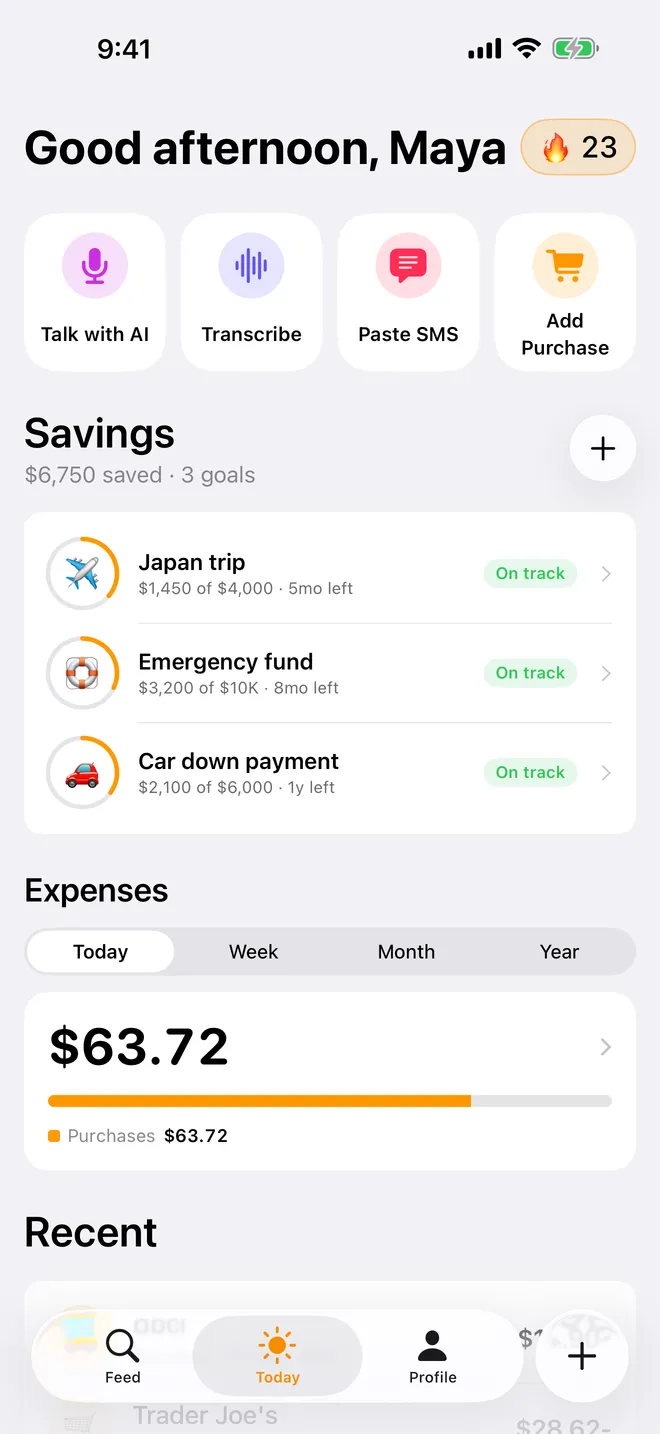
Open Profile
Tap Profile in the tab bar.
2
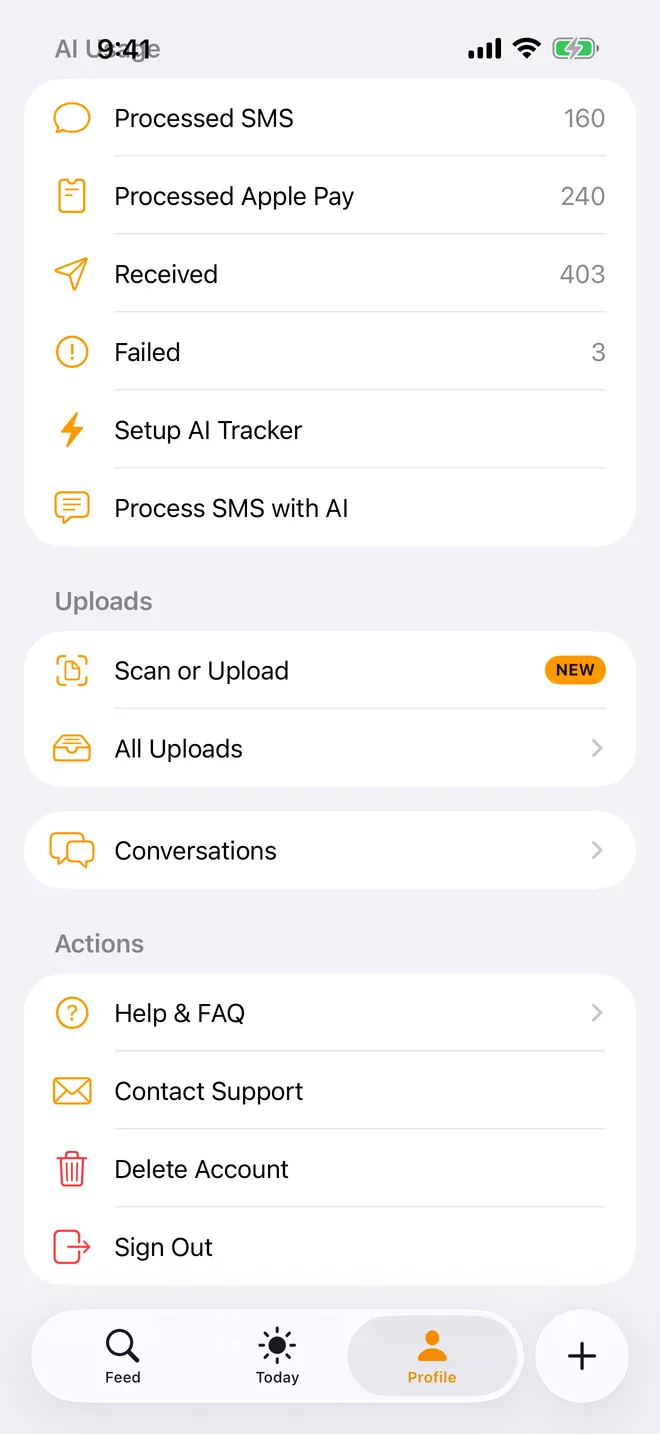
Tap Contact Support
Scroll down: it's near the end.
3
Say what happened
Your mail app opens an email to us. Add a few words and send.


Help & FAQ
Answers in the app
Many questions are already answered in Help & FAQ, in Profile. Search them, and if you're still stuck, Contact Support is at the end, under Still need help?

Questions
Before you write
Quick answers to what people ask us most. Can't find yours? Write to support@dibba.ai.
Frequently asked questions
How do I contact Dibba support?+−
Email support@dibba.ai, or in the app open Profile and tap Contact Support: it starts an email to us with your app version and device already in it.
What should I put in my email?+−
What happened and what you expected, and a screenshot if you can. If you write from another address, add the email of your Dibba account so we can find it.
How do I delete my account?+−
In the app, open Profile, tap Delete Account and confirm. An email with your request opens: send it, and we'll delete your account and all its data. This can't be undone.
How do I get my subscription back on a new iPhone?+−
Sign in to the same account. If Dibba doesn't show your subscription, open Profile and tap Restore Subscription.
How do I cancel my subscription?+−
Subscriptions bought in the App Store are managed by Apple: open Settings on your iPhone, tap your name, then Subscriptions, and choose Dibba. If you subscribed on the web, write to us.