Your buddy
abroad
Talk to locals in 36 languages. Dibba translates both of you as you speak and shows prices in your currency.

🇯🇵 Japanese
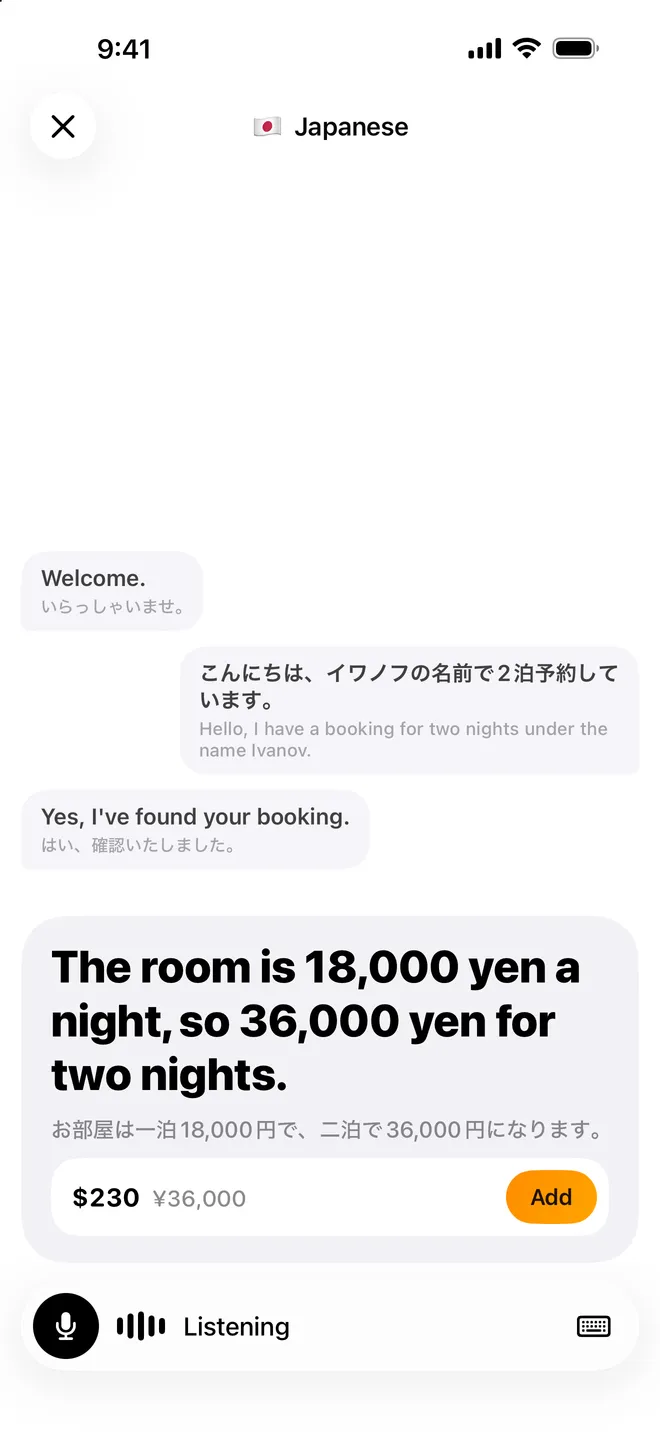
Welcome.
いらっしゃいませ。
こんにちは、2泊で予約しています。
Hello, I have a booking for two nights.
The room is 18,000 yen a night, so 36,000 yen for two nights.
お部屋は一泊18,000円で、二泊で36,000円になります。
The room is 18,000 yen a night, so 36,000 yen for two nights.
お部屋は一泊18,000円で、二泊で36,000円になります。
Tap to go backTry a conversation
Your currency
Sample conversations and exchange rates.
How it works
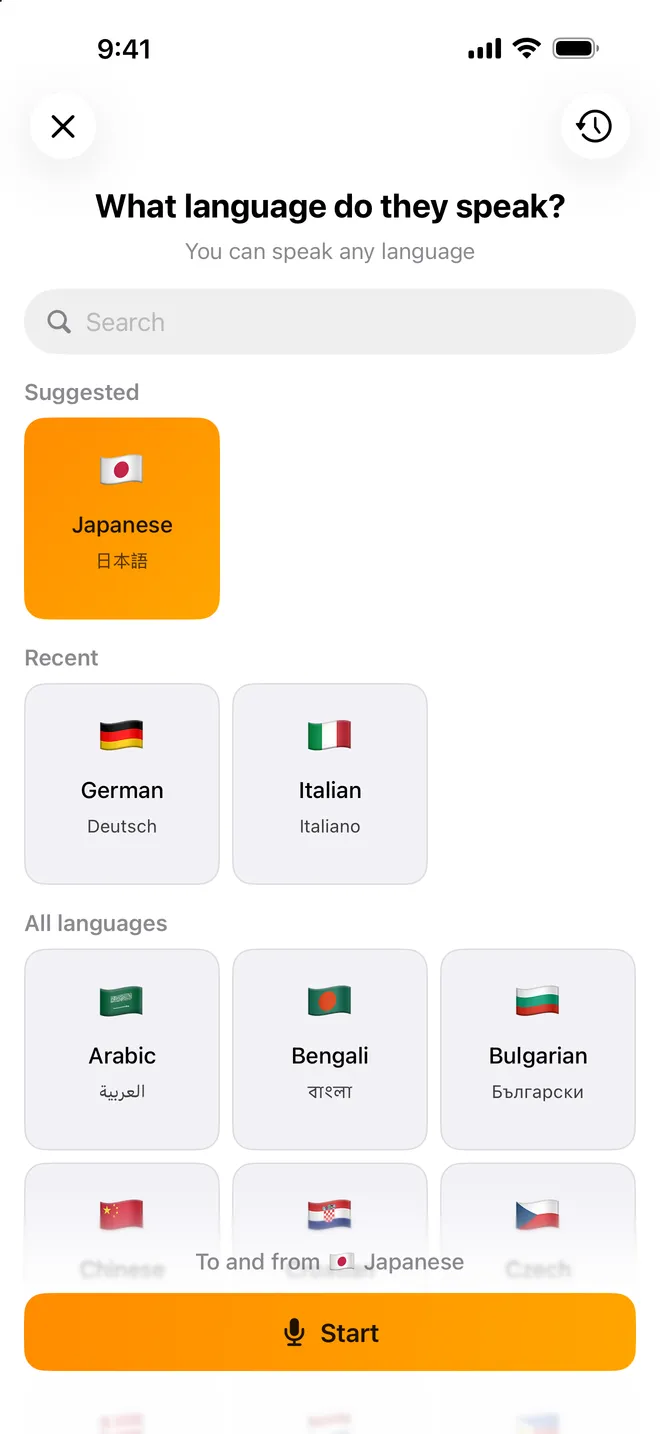
Tap Start. Talk.
No buttons to hold. No turns to take.
1
Pick their language
Dibba suggests the local one.
2
Just talk
Keep your iPhone between you.
3
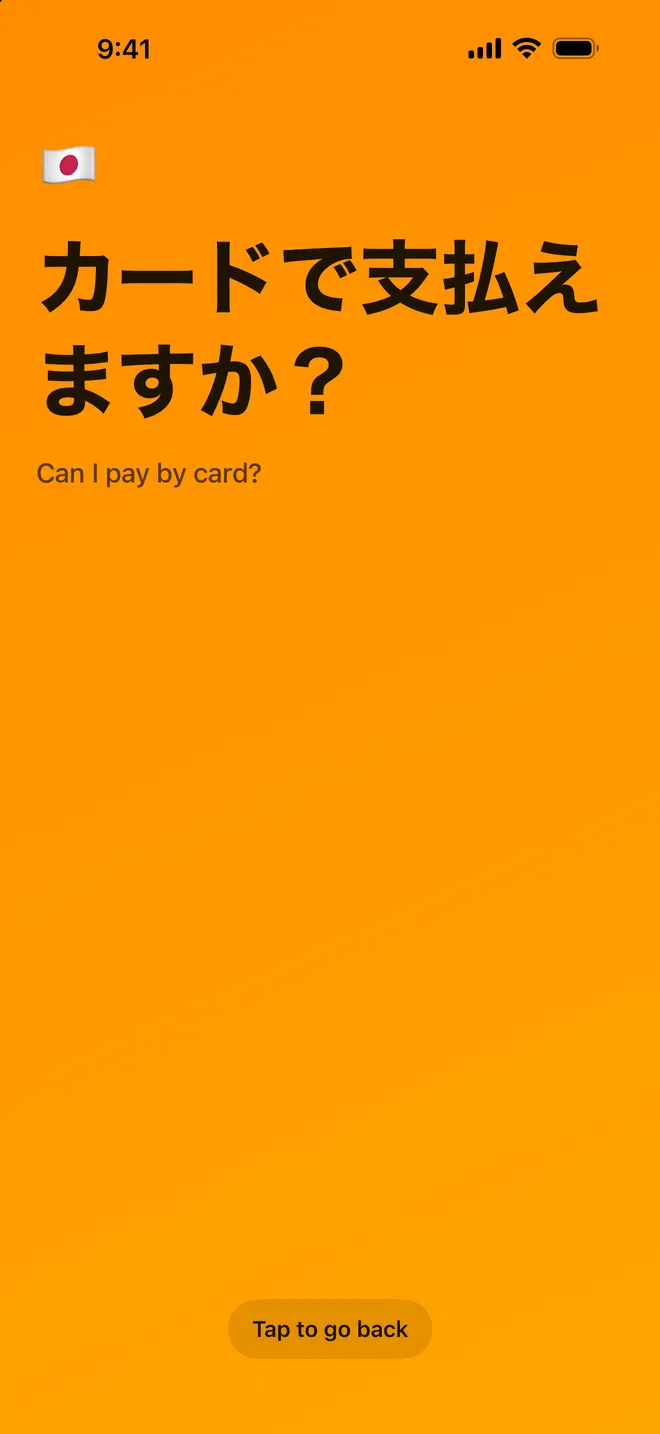
Show your screen
Your words, big, in their language.


Prices
Prices in your currency
They say a price. You see what it costs in your money.
- Your currency first, their price next to it
- Works when they just say “1,500”
- One tap adds it to your budget
They said
The room is 18,000 yen a night, so 36,000 yen for two nights.
お部屋は一泊18,000円で、二泊で36,000円になります。
$230
≈ ¥36,000 today
Approximate. Your bank’s rate will differ.
Sample rates.
Your currency
Made for travel
Two people. One phone.
Hands-free
Tap Start once and talk.
Show
Your sentence fills the screen.
Type a phrase
Too loud? Type it.
Pause
Tap the mic to take a break.
Saved as text
Read or share it later.
Local language first
It's on top when you land.
Languages
36 languages
Pick theirs. Speak yours.
To and from 🇯🇵 Japanese
ありがとう
Thank you
Why Dibba
A translator that understands money
Abroad, prices are in another currency and half the payments are cash. Translate tells you what was said and what it costs, and one tap on Add puts it in your budget.
Frequently asked questions
What is Translate in Dibba?+−
A live two-way translator inside the Dibba app for iPhone. Put the phone between you and a local and talk: you both see the translation, and prices said aloud show up in your currency.
Which languages does Translate support?+−
36 languages: Arabic, Bengali, Bulgarian, Chinese, Croatian, Czech, Danish, Dutch, English, Filipino, Finnish, French, German, Greek, Hebrew, Hindi, Hungarian, Indonesian, Italian, Japanese, Korean, Malay, Norwegian, Polish, Portuguese, Romanian, Russian, Slovak, Spanish, Swahili, Swedish, Tamil, Thai, Turkish, Ukrainian, and Vietnamese. You pick the other person's language and can speak any language yourself.
How does Translate show prices in my currency?+−
When someone says a price, Dibba shows it under the translation in your currency, with their price next to it. Tap Add to save it as an expense. The amount is approximate: your bank's rate will differ a little.
Do we have to take turns or hold a button?+−
No. Tap Start once and just talk.
Does Translate work offline?+−
No, it needs an internet connection.
Can I read a conversation again later?+−
Yes. Conversations are saved as text under Profile → Conversations, and you can share them.
Where do I find Translate in the app?+−
Tap the round + beside the tab bar and choose Translate.
Ready for your next trip?
Get Dibba, tap + and choose Translate.